Rocky Linux 9.5, latest NVIDIA Drivers and VFX Apps
Installing Rocky with the latest nVidia drivers for use with VFX software.

Contents :
Why Rocky Linux?
I wanted to try and install a linux distro that allowed me to run visual effects software outside of Microsoft Windows (less auto-updates and distracting notifications). It needed to be free (there are many free alternatives), I also wanted to see if the vfx apps would perform better, learn to use the apps and system and run them in a more “real-world” post-production setup. For this reason, Rocky Linux was ideal as it ticked all the boxes.
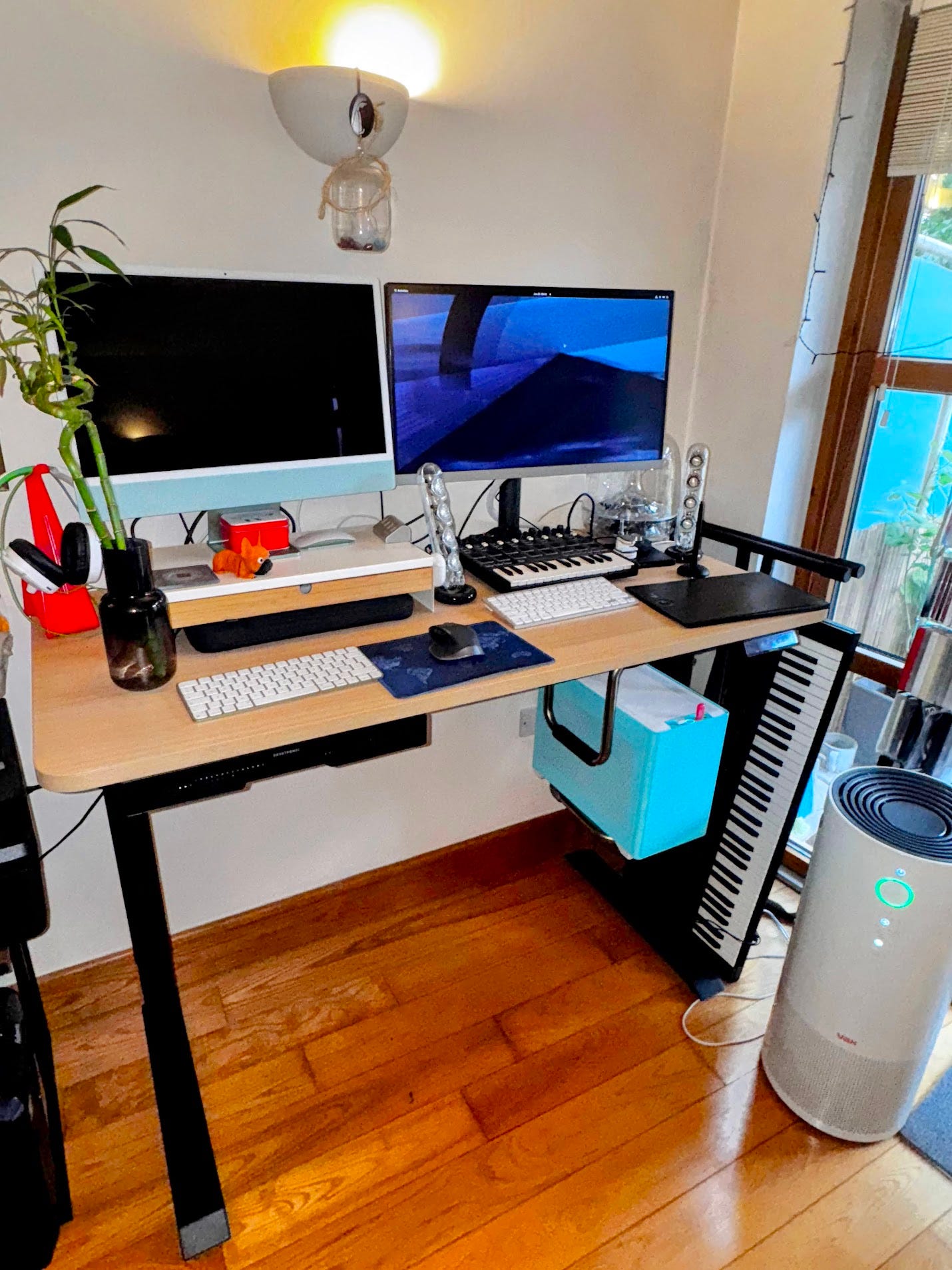
The specs of my current setup are:
intel i7-11700K
64GB RAM
Nvidia RTX 5070 Ti
Cooler Master MasterBox NR200P Mini ITX Cyan case MCB-NR200P-ACNN-S00
MPG B560I GAMING EDGE WIFI motherboard
Visual Effects Software on Rocky
Here’s a list of VFX software that will run on Rocky Linux and their costs:
Autodesk Flame (macOS and Linux)
Annual Price - Flame : £4110 , Flame Assist : £2202 , Flare : £2358 , Lustre : £4410
30 day trial. Student license for colleage and university students only.
LOGIK.tv - website dedicated to EVERYTHING Flame
Logik Academy Pro - Extensive library of courses, tutorials, and resources dedicated to Flame VFX
Foundry Nuke (Windows, macOS, Linux)
Annual Price - Nuke Studio : £5079 , Nuke X : £4089 , Nuke : £2769
30 day trial. Student, Non-Commercial and Nuke Indie licenses also available.
Hugo’s Desk Training - Hugo Guerra’s Nuke Compositing courses with online community
Blackmagic DaVinci Resolve (Windows, macOS, iOS, Linux)
Annual Price - FREE
Autodesk Maya (Windows, macOS, Linux)
Annual Price - £1908
Blender (Windows, macOS and Linux)
Annual Price - Blender is Free and Open Source software, forever.
awesome-oss : Graphics - A list of Awesome open source (Graphics) software projects on github.
Upgrading if already rocking Rocky 9 1
Before starting, if Rocky Linux 9 is already installed, the following command will update to the latest version. As the Rocky website states: “You may upgrade from Rocky Linux 9.x to Rocky Linux 9.5 (or above) on the CLI” by running this command in the Terminal:
sudo dnf -y upgradeAlso possible via desktop tools like GNOME Software or KDE Discover.
Rocky Linux 9 does not offer an official upgrade path from any version of Rocky Linux 8 or below. We recommend these users who wish to upgrade to Rocky Linux 9 do so via a fresh install.
Download and Install Rocky 9.5
Grab the Rocky Linux 9.5 ISO from Autodesk here (This version includes custome specific divers required to run VFX software such as Flame and Nuke which the official Rocky website version does not).
I use the GitHub ISO USB flash tool Etcher USB flashing tool to flash the ISO to a USB drive, Ensure you have enough storage on the USB as Etcher will erase everything on it. Other tools like Rufus will work as well.
Boot your future Rocky 9.5 system from the flashed USB.
You can follow instructions below as per Randy McEntee’s Logik Academy : ‘My First Lunux Flame’ video below:
The main points I found are that Randy recommends installing on the required drive with the following partition sizes:
/boot/efi/ : 1024Mib
swap : (as big as the installed RAM storage)
/ : (root - leave this blank to automatically fill up the rest of the available storage)
Updating to latest nVidia drivers
Once installed, the next step is to install the latest nVidia drivers. This needs to be completed twice: Before and after the Autodesk Driver and Kernel Utilities (DKU) package.
In Terminal enter the command to see which nvidia driver is running (if any) .
It is possible to copy and paste this command into Terminal with CTRL + SHIFT + V :
nvidia-smiIf updating the gpu driver is required, download the latests nvidia drivers here:
New nVidia Drivers - Older nVidia Unix Driver Archive
There are two options of which Linux x86_64/AMD64/EM64T driver to download:
Recommended Driver:
This driver meets the quality levels applied to Windows drivers that pass testing in Windows Hardware Quality Labs (WHQL), therefore providing the same attention to driver reliability, robustness, and performance for non-Windows operating systems (e.g., Linux).
New Feature Branch Driver:
This driver provides early adopters and bleeding edge developers access to the latest driver features before they are integrated into the Production Branches.
Formerly known as Linux Short Lived Branch (SLB).
Once you’ve decided which driver you need and downloaded it, open the location of the Downloaded driver in Terminal and run commands below (replace the version of the driver with the one you actually have).
chmod +x NVIDIA-Linux-x86_64-575.57.08.run
sudo ./NVIDIA-Linux-x86_64-575.57.08.run
If the error message :
“Unable to find development tool ‘cc’ in your path…”
It is likely an incorrect version of the Autodesk provided Rocky 9.5 was installed.
If the nVidia install runs then follow these step by step options to get the drivers to work:
Multiple kernel module types are available for this system. Which would you like to use?
MIT / GPL
For most modern NVIDIA GPUs (Turing, Ampere, Ada Lovelace, and Hopper architectures), the recommended choice is the open-source GPU kernel modules (with MIT/GPL licenses). For older GPUs (Maxwell, Pascal, or Volta), the NVIDIA proprietary driver is still the recommended choice.2
The initramfs will likely need to be rebuilt due to the following condition(s):
Nouveau is present in the initramfs
Would you like to rebuild the initramfs?
Rebuild initramfs
If a previous nvidia-uvm is loaded in the kernel, some of the sanity checks that nvidia installer performs to detect installation problems are not possible while it is running.
OK
Continue installation without the sanity checks
Confirm rebooting computer after installation
Previous driver will be uninstalled
Continue installation
Install NVIDIA’s 32-bit compatibility libraries?
Yes
The initramfs will likely need to be rebuilt due to the following condition(s):
* Nouveau is present in the initramfs.
Rebuild the initramfs
Rebuilding initramfs after updating NVIDIA drivers is crucial to ensure that the new drivers and any necessary modules are available during boot. It helps prevent boot issues and ensures the correct display drivers are loaded. This process essentially updates the "mini-OS" that is used to boot the main system. 3
Would you like to run rhw nvidia-xconfig utility to automatically update your X configuration file so that the NVIDIA X driver will be used when you restart X? Any pre-existing X configuration file will be backed up.
Yes
Restart Rocky Linux
Install the DKU
The Autodesk Driver and Kernel Utilities (DKU) package can be downloaded here - Open the directory where the DKU is extracted to in Terminal and run command:
sudo ./INSTALL_DKU
sudo reboot
On rebooting the Rocky OS may not appear to run properly. If the command line is flashing but no prompt is showing:
press ALT + F2 to get to the command line.
Enter a USERNAME and PASSWORD
open the folder with the NVIDIA driver from earlier (usually ‘Downloads’) as we will reinstall the NVIDIA driver. This can be achieved by entering:
cd DownloadsOnce there, install the nvidia driver and go through the install options again.
sudo ./NVIDIA-Linux-x86_64-575.57.08.run
Press ALT + F2 if a flashing command line prompt displays again.
Install NVIDIA’s 32-bit compatibility libraries?
Yes
The initramfs will likely need to be rebuilt due to the following condition(s):
* Nouveau is present in the initramfs.
Rebuild the initramfs
Rebuilding initramfs after updating NVIDIA drivers is crucial to ensure that the new drivers and any necessary modules are available during boot. It helps prevent boot issues and ensures the correct display drivers are loaded. This process essentially updates the "mini-OS" that is used to boot the main system.
Would you like to run rhw nvidia-xconfig utility to automatically update your X configuration file so that the NVIDIA X driver will be used when you restart X? Any pre-existing X configuration file will be backed up.
Yes
Restart Rocky Linux and it should run normally.
Notable VFX YouTube channels
ActionVFX - YouTube channel of the world's largest library of premium visual effects stock footage.
Blender Guru - Andrew Price’s extensive Blender tutorials including the famous doughnut.
CorridorDigital - Viral VFX videos made by the CorridorCrew.
Escape Studios - Undergraduate, postgraduate and short courses in Visual Effects (VFX), Game Art, Animation and Motion Graphics.
Flame Learning Channel - YouTube channel showcasing tutorials on how to use Flame.
Foundry Learn - Guides on how to use Foundry products.
fxphd - Professional trainers of VFX.
Grance Abbitt - Gabbitt’s channel with many many Blender tutorials
Hugo’s Desk - Hugo Guerra YouTube page dedicated to Nuke VFX
Modo Geeks TV - official unofficial home of Foundry's discontinued 3D MODO software.
VFX for Filmmakers.com - Interviews with VFX Pro’s from across the globe, VFX tutorials, tips and tricks.
VFX Nomads - Highly experienced VFX artists contemplating and pontificating the global VFX industry, cinema and more.
VFXWorld - VFX artist Rajat Subhra’s YouTube page.
Softimage Learning channel - Never mind the book, have you SEEN Jurassic Park or played Half Life 2? - Discontinued epic 3D software, previously owned by Microsoft, then Avid and finally Autodesk. R.I.P.